

Hewlett-Packard S20 PhotoSmart Film Scanners

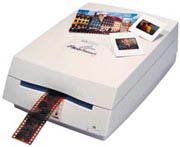
Hewlett-Packard S20 PhotoSmart Film Scanners
USER REVIEWS
|
[Jul 10, 2005]
trainiax
Intermediate
Strength:
-east-to-use software -resolution (2400 DPI) -colour reproduction
Weakness:
-grainy shadow detail (slides) -underexposure (slides) -inability to choose filename This was my first film scanner, and 3 years after purchasing it I'm still very happy. -Software: The software is easy to use, and seems less "bloated" than some other HP software. The colour and exposure correction work well, especially with overexposed film. A rotation tool can also be used, and it does not adversely affect the sharpness of the image. Multiple scans from one film strip are possible by holding CTRL and clicking on the preview images. My only (minor) complaint is that it gives a "Scan####" filename to every image. I correct this when doing post-scan touch-up, but it's a bit annoying not to be able to give images filnames right away. -Scans: Without correction, the colours match those on the actual film. Sharpness is very good; the grain of Fuji Reala 100 print film, for example, is clearly visible in full-resolution (2400 DPI) scans. A bit of colour separation is visible (thin vertical lines will have a bit of red on one side and a bit of green on the other) but it is not apparent without zooming in. Shadow detail on negative film is fantastic. The scans from negatives tend to be better than those of slides. Scans of slides usually appear underexposed, and there is some shadow noise. But since most of my scanning involves negatives, that's not an issue. I've never scanned prints with it, since I bought it solely to scan film. -Overall: Niggles aside, this scanner gives a lot of bang for the buck. Although I would not recommend as strongly for slide use, it nevertheless is a good all-around performer and a suitable entry-level film scanner. Customer Service Not Required Similar Products Used: None |
|
[Nov 16, 2001]
tord
Expert
Strength:
Sharpness od scans: excellent Color: excellent The image adjustment controls (contrast, darkness, gamma, color balance, hue, saturation) are easy to use. Quite intuitive software user interface in general.
Weakness:
Masking of slides is a bit tricky and does not work to perfection. Sometimes you end up with having masked with an unintentional bias of +/- 10 pixels, meaning that a post processing in picture software is needed to get rid of dark frames. Slides can be rotated (+/-1 degree resolution) but the results don’t always match the expectation, so better not use it. The handling of slide selection and file naming text boxes could work better, error-prone in particular when scanning strips of slides or negatives, risk is that you only will scan one slide even you wanted to scan several. Slides with underexposed shadows: If you compensate the shadows to the lighter, you will get noise. Better leave the shadows underexposed imo. Areas with dark details of vertical shape against light background, such as tips of branches against a light sky, or high grass in sunlight. Often you get color aberration, areas a few pixels wide, purple color to the left, green to the right of the branch. This has no impact in practice, pictures look good when printed or viewed at screen size, but I wanted to mention it. FYI the HP does not support APS, which is not a concern in my case I chose between the HP and the Minolta Dimage. My choice went for the HP because I own a few HP products since before and I have a high confidence in HP making good quality hardware and software. Generally speaking, the scanner has worked without problems for a year now. I have processed about 1500+ slides and a few negatives and I am quite happy with the results. I use the scanner connected to a 350 Mhz PII with 128 Mb RAM, which is a bit slow. Films used: Fuji Velvia and Kodak Extra Color (both 100 ASA slide films). Installation: no problems Operation: without major problems Software: good Quality: good Performance: good Scanning a slide in highest resolution (2400 dpi) takes about 45 seconds on my computer. The post-processing takes about a minute per slide. Here, a faster computer would be nice. Since it is likely that you will have a photo processing software open at the same time, I would strongly recommend 128 Mb as a minimum RAM, and 300-500 Mbyte free disk workspace. Customer Service N/A Similar Products Used: Used with Ulead Photo Impact software for processing, and HP deskjet 950C for prints. |
|
[Sep 22, 2001]
Jack
Intermediate
Strength:
Scan quality with Vuescan
Weakness:
mechanical quality It took great pictures as long as it was working. After 2 years and about 200 scans it suddenly started to separate blue, red, and green so badly that it is useless. Don''t use it''s own software. Similar Products Used: None |
|
[Aug 23, 2000]
Doug Nelson
Intermediate
Strength:
inexpensive
Weakness:
green specks in shadow areas of slides Don't mean to be hogging the forum here, gang, but I have to tap dance out of something dumb I said earlier. After you have your scan, blow it up in Photoshop to see the noise in the shadow areas and use the levels or curves in Photoshop to eliminate as much of the green specks as you can. Use the middle slider until it looks right overall. Sometimes I'd wished I laid out the money for the Nikon, but I'm hearing disturbing reports about their lack of support services. Also, I'm testing Ed Hamrick's (hamrick.com) scanning software which, for a mere 40 bucks, has a dust spotting function just like the Nikon. It comes with really cryptic help pages, but I think it's worth the effort to learn. It's designed for scanning batches of stuff with a minimum of fiddling. If you want to know more about this, ask Ed or me. Customer Service fine so far Similar Products Used: 10,000 buck Kodak at work |
|
[Aug 21, 2000]
Doug Nelson
Intermediate
Strength:
inexpensive
Weakness:
awkward film handling I didnt give the scanner afair shot at first, but used like like the HP flatbeds at work, just let it scan. The HP software is actually quite good, and gives you control over the black and white points. Yes, it does give you noise in shadow areas, but if you get the best scan you can using the hP software, go into Photoshop (even LE!) in 16 bit mode, take the middle slider in levels down until the noise in the shadows is gone,then go to 8-bits, you'll be pleased with the result. You'll take a hit in the shadows, just as inexpensive stereo speakers can't give you the lowest organ notes, but you' re getting a nice balanced image overall. It's only 500 bucks, for Pete's sake. Customer Service Not an 800 nr, but HP has been great. My first S20 gave green streaks, so HP replaced it. They have referred me to websites that have taught me alot (scantips.com). Similar Products Used: no film scanners, use HP and UMax flatbeds |
|
[Aug 19, 2000]
Tero Pelkonen
Intermediate
Strength:
Inexpensive, normally good quality scans (precise 2400dpi, not always great colors), 36 bit output to photoshop for example, and capability to scan prints.
Weakness:
1) Even if the colors are normally quite ok, I have experienced problems with skin tones using Fuji Superia negative film (to simplify, let's say too much magenta). I had to use lot of time to create appropriate filter in photoshop to correct this. Using other negatives that's not a problem. Why don't HP make driver that supports different film types? (Vuescan supports this) Very attractive scanner for average use. The scanner unit itself seems to be very precise, but noise might be a problem, especially in green channel. Colors are neutral (a bit cool but ok). Even if I had problems with fuji superia negative film I am satisfyed with results. A great scanner for its price. Customer Service I haven't have to contact. I have heard about some problems in general. Similar Products Used: earlyer version of photosmart S20. (I suppose, it was called just photosmart) |
|
[Aug 11, 2000]
Doug Walker
Intermediate
Strength:
Inexpensive
Weakness:
Not able to save custom crop settings - you must set this up for each scan - not a big deal though. Unlike another reviewer here, I did not experience any "flare" with this unit. Instead, what I saw was flare from the camera lens. The lens in question is a 28-105 third party lens on a Canon EOS body. Scans at 2400 dpi of 25 yr old Yosemite slides using high quality fixed length lenses yielded superb results - sharp and contrasty - corner to corner - no flare. I compared these to scans of recent slides of the Grand Canyon taken with the 28-105 using Fujichrome Velvia and voila - a small amount of flare showed up upon close inspection. This flare appeared on other slides taken with the 28-105 as well. I thought maybe this was a fluke so I checked other slides taken with the fixed lenses and all were sharp as a tack - no flare. My conclusion - if there is any flare in the scans from this unit, it was in the original slide to begin with. Customer Service Not used for this device Similar Products Used: HP 3C flatbed scanner |
|
[Aug 01, 2000]
Joe Doupnik
Casual
Strength:
Inexpensive to purchase
Weakness:
Film strip insertion is finicky, several attempts are usually needed. The HP S20 scanner has a well deserved reputation for producing good results at a very reasonable price. But "good" does not mean "excellent" when one looks carefully at images which will be enlarged to say 8x10 inches. The problem is the lens has marked "flare" which yields red/green spillover from bright to dark areas, and hence also reduces contrast at fine scales for all images. Many camera lenses do too, so this may not be a problem with negatives made by such cameras. Customer Service Not used Similar Products Used: Nikon LS-10 |
|
[Jul 05, 2000]
Scott M
Intermediate
Model Reviewed:
S20 PhotoSmart
Strength:
36 Bit, can also scan 4x6 prints, preview options are simple, Scans are good (1-10 a 7)
Weakness:
kind of cheap construction, the feed for slides, film is "touchy" (does not activate the auto feed). If you cancel a slide or neg it closes the program just to be opened again for the next slide. just annoying..but why do this. I bought this a week ago. I will return it. I am going for the cannon f2710(?) or SL 30 coolscan nikon. 250 more . The HP S20 I see sells for as low as 420 (7/5/00). It should be 250 or 299 max. This would be a "fair" price for this. Customer Service A joke, normal for HP Similar Products Used: HP 5200 Flatbed scanner |
|
[Jun 21, 2000]
Dan Gresham
Intermediate
Model Reviewed:
S20 PhotoSmart
Strength:
Very easy to install
Weakness:
Infeed is balky now and again Good value for the money. Perfect for use with a laptop. Probably not enough for someone doing high end or commercial work but excellent for the beginner up to the serious amateur. Customer Service No experience as yet Similar Products Used: My first scanner |